How To Choose A Desk Light For A Rented Flat Without Creating Glare
A practical step-by-step guide to how to choose a desk light for a rented flat without creating glare, including preparation, instructions, common issues, tips, and next steps.
How To Choose A Desk Light For A Rented Flat Without Creating Glare
Choosing a desk light for a rented flat without creating glare involves understanding light direction, brightness, color temperature, and placement. This guide walks you through assessing your space, selecting the right bulb and fixture, positioning the light to avoid reflections on screens, and making rental-friendly adjustments. You'll learn practical checks at each step to ensure comfortable, efficient lighting.
Fast Answer
- Pick a lamp with an adjustable head and arm so you can position it to avoid reflections on your monitor.
- Use a warm, dimmable LED bulb and place the light to the side of your screen, not above or behind.
Before You Start
- Measure the height of your desk and the distance between your eyes and your screen to determine optimal lamp height.
- Observe the room's natural light and existing ambient lighting at the time you usually work.
- List all the tasks you do at your desk, such as reading, writing, or using a computer, to decide if you need focused or general light.
- Check if any furniture, shelves, or wall color might reflect light and cause glare.
Step-by-Step Instructions
Assess Your Desk and Lighting Needs
Start by taking a good look at your desk layout and the tasks you do there. Measure the height of your desk and the distance from your eyes to your screen when you sit comfortably. Note the direction of any windows and the existing ceiling or floor lamps. Write down what you use your desk for: reading paper documents, working on a laptop, or doing detailed craft work. This step matters because different tasks need different types of light. For example, reading paper might need a brighter, more focused beam, while screen work benefits from softer, indirect light that avoids reflections. By understanding your space and tasks, you can choose a lamp that fits your needs without creating annoying or eye-straining glare. Also, consider the furniture and wall colors in your rented flat, as light surfaces can bounce light around more than dark ones.
Choose the Right Type of Desk Lamp
Look for a desk lamp that has an adjustable head and arm, such as a swing-arm or gooseneck design. This allows you to direct light exactly where you need it. Also consider the shade: a cone-shaped or curved shade can focus light downward, while a translucent shade will scatter light more broadly. Think about the size of your desk—if it's small, a clamp-on lamp can save space. For rented flats, a floor lamp with an adjustable arm might be a better choice if you can't drill into walls. The key is to find a lamp that gives you control over the direction and spread of light, because that control is what helps you avoid glare. A lamp that is fixed in one position may force you to work in awkward conditions or create reflections you can't fix. Choose a lamp that feels sturdy and has a reliable on/off switch or dimmer.
Select a Suitable Bulb or LED Module
If your lamp uses a replaceable bulb, choose a warm white LED with a color temperature around 2700K to 3000K, which gives off a soft yellowish light that's easy on the eyes. Avoid cool white or daylight bulbs (above 5000K) because they can increase glare and contrast with your screen. Also, pay attention to the brightness, measured in lumens. For a desk task, 400 to 800 lumens is usually sufficient, but for detailed work you might need more. If your lamp has an integrated LED, check that the brightness and color temperature are adjustable. Many modern LED lamps offer different brightness levels and color modes. Consider a dimmable lamp or bulb, as this lets you adapt the light to your task and time of day. Dimming also helps reduce reflected glare off glossy surfaces. Remember to check the maximum wattage your lamp can handle if you use a replaceable bulb.
Position the Lamp to the Side of Your Screen
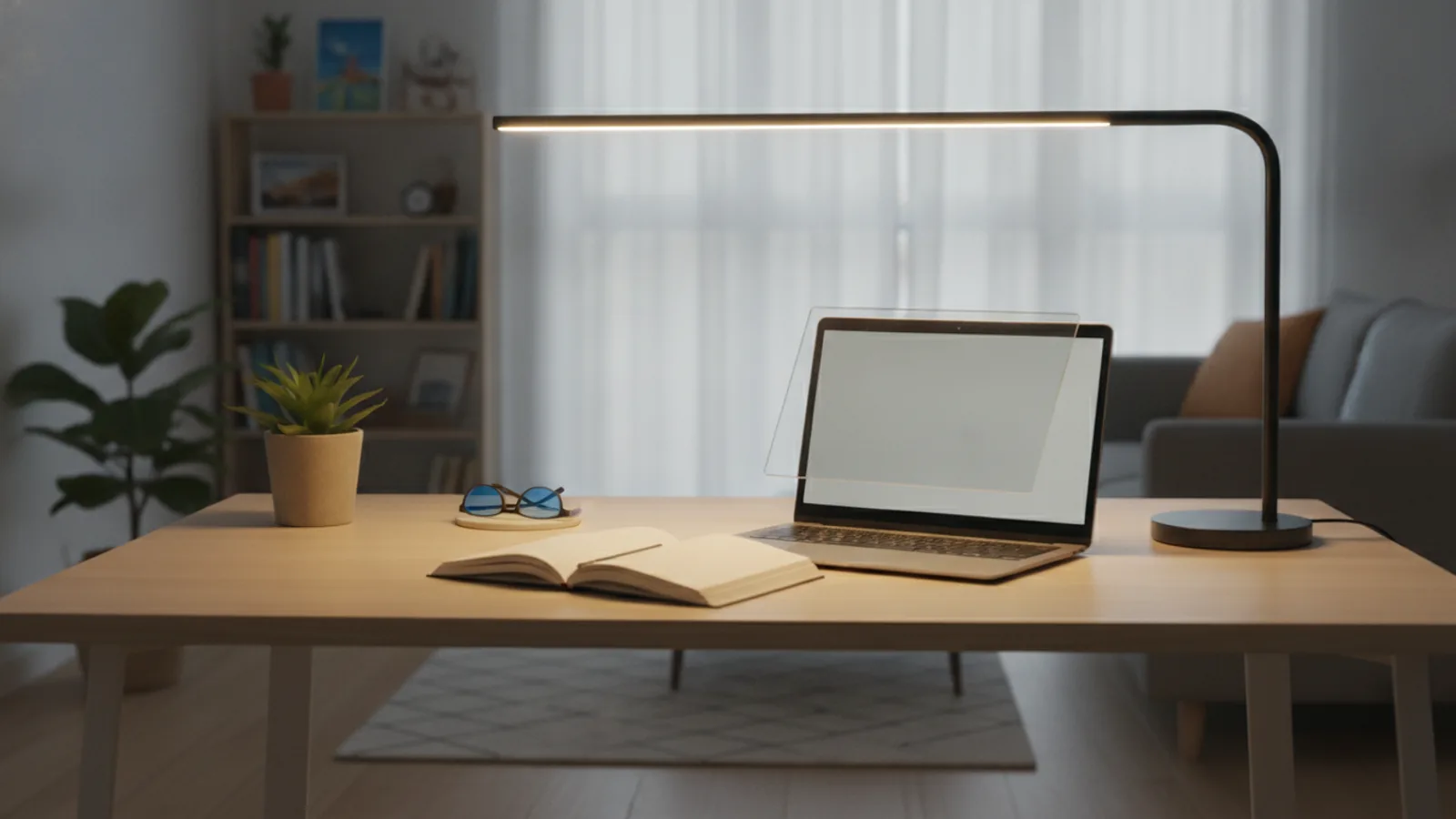
Place your desk lamp on the side of your monitor, not directly above or behind it. If you are right-handed, put the lamp on your left side (or vice versa) to avoid shadows from your hand while writing. The light should be aimed down at your work area, not toward your eyes. For screen work, position the lamp so that the light does not bounce off the screen into your eyes. A good rule is to have the light source at a 45-degree angle from your screen and slightly forward. If you use a laptop, place the lamp to the side or behind the laptop, but ensure it does not create a reflection on the screen. Positioning is crucial because even a well-chosen lamp can cause glare if it's in the wrong place. Take time to adjust the lamp while you actually work, moving it an inch at a time until you find a sweet spot.
Reduce Reflections and Adjust Other Lighting
Even with a well-placed lamp, you may still see glares from windows or other lights in the room. Use blinds or sheer curtains to control daylight during the day. Turn off any overhead lights that create a bright spot directly above your desk. If you have a glossy desk surface, consider placing a mat or a piece of matte paper under your work area to reduce reflected light. Also, check if your screen has a matte finish; if not, you can buy an anti-glare screen filter, but this may reduce brightness. Adjust your screen's tilt to minimize reflections. For rent, you can also move your desk orientation to avoid facing a window. These steps matter because eliminating extra sources of glare helps your eyes focus better and reduces fatigue. Remember, the goal is to have a balanced lighting environment, not just a single lamp.
Test Your Setup for a Work Session
Once everything is set up, work at your desk for at least 30 minutes. Pay attention to how your eyes feel. Do you have to squint? Do you see reflections on your screen? Are there harsh shadows? Adjust the lamp position, brightness, or the angle of your screen as needed. Also, test different times of day because daylight changes. Make sure the lamp doesn't cause a distracting hotspot on your desk. If you've done everything right, you should feel comfortable and be able to work without eye strain. This final test is essential because it confirms that your setup works in real conditions. If you notice problems, go back to the earlier steps and tweak your lamp choice or placement. Remember, you can always return a lamp if it doesn't work for you, so you're not stuck with a glare-filled desk.
Quick Reference
| Situation | Action | Why it helps |
|---|---|---|
| You're working on a laptop and the screen shows a bright reflection from your desk lamp. | Move the lamp so that it is at a 90-degree angle to the screen's side, and tilt the screen forward slightly to reduce the reflection. | This changes the angle of reflection, making light bounce away from your eyes instead of directly toward them. |
| The lamp causes glare on your glossy desk surface, making it hard to read documents. | Place a matte desk mat or a piece of matte paper over the reflective area under the lamp, and lower the lamp's brightness or height. | A matte surface diffuses light, reducing pinpoint reflections that can cause uncomfortable glare. |
| You have a small desk and a clamp-in lamp takes up too much space. | Use a floor lamp with an adjustable head that can be positioned directly over your desk, or mount a wall lamp on a shelf without drilling. | This saves desk space while still giving you control over light direction to prevent screen reflections. |
Common Issues
- The lamp's light directly hits your eyes, causing glare.: Angle the lamp shade downward and lower the lamp so that the bulb is below your eye level. You can also add a translucent cover over the bulb to diffuse the light.
- The light creates a bright spot on your desk that is distracting.: Move the lamp away from your direct work area, or use a dimmer to reduce brightness. You can also add a shade or diffuser to soften the light.
- Your computer screen has a faint ghost-like image of the lamp reflected on it.: Reposition the lamp to a side that is opposite from where the reflection appears, and ensure the screen is not perfectly perpendicular to the lamp. Tilt the screen slightly away from the lamp.
Advanced Tips
- Install a plug-in dimmer switch between the lamp and the wall outlet if your lamp doesn't have one, allowing you to fine-tune brightness without buying a new lamp.
- Use a color-correcting filter on your screen or glasses to reduce blue light during evening hours, complementing your warm, low-glare lamp.
- If you have a bookshelf near your desk, place the lamp on a shelf above your eye level and angle it down, creating indirect lighting that reduces direct glare.
Final Checklist
- Have you measured your desk and noted your screen distance?
- Did you choose a lamp with adjustable head and arm?
- Have you set the lamp to the side of your screen and tested for reflections?
- Are you using a warm, dimmable bulb and have you checked for flicker?
FAQ
What is the best color temperature for a desk lamp to avoid glare?
For comfort and to reduce glare, choose a warm white light around 2700K to 3000K. This gives a soft yellowish glow that is gentle on eyes and doesn't contrast sharply with your screen. Avoid cool or daylight bulbs (5000K and above) because they can create more intense reflections.
How can I tell if my lamp is causing glare on my screen?
If you see a bright spot or your own reflection on the screen, that's glare. To test, turn on the lamp and look at a dark background on your screen. If you see a reflection of the lamp or your hand moving, adjust the lamp's position until the reflection disappears.
Is it better to use a desk lamp or an overhead light to avoid glare?
A desk lamp with adjustable direction is generally better because you can position it to avoid screen reflections. Overhead lights often create glare on glossy screens. However, using a combination of ambient light and a task light can balance brightness.