What To Pack In A Reliable Everyday Cable Kit
A practical step-by-step guide to what to pack in a reliable everyday cable kit, including preparation, instructions, common issues, tips, and next steps.
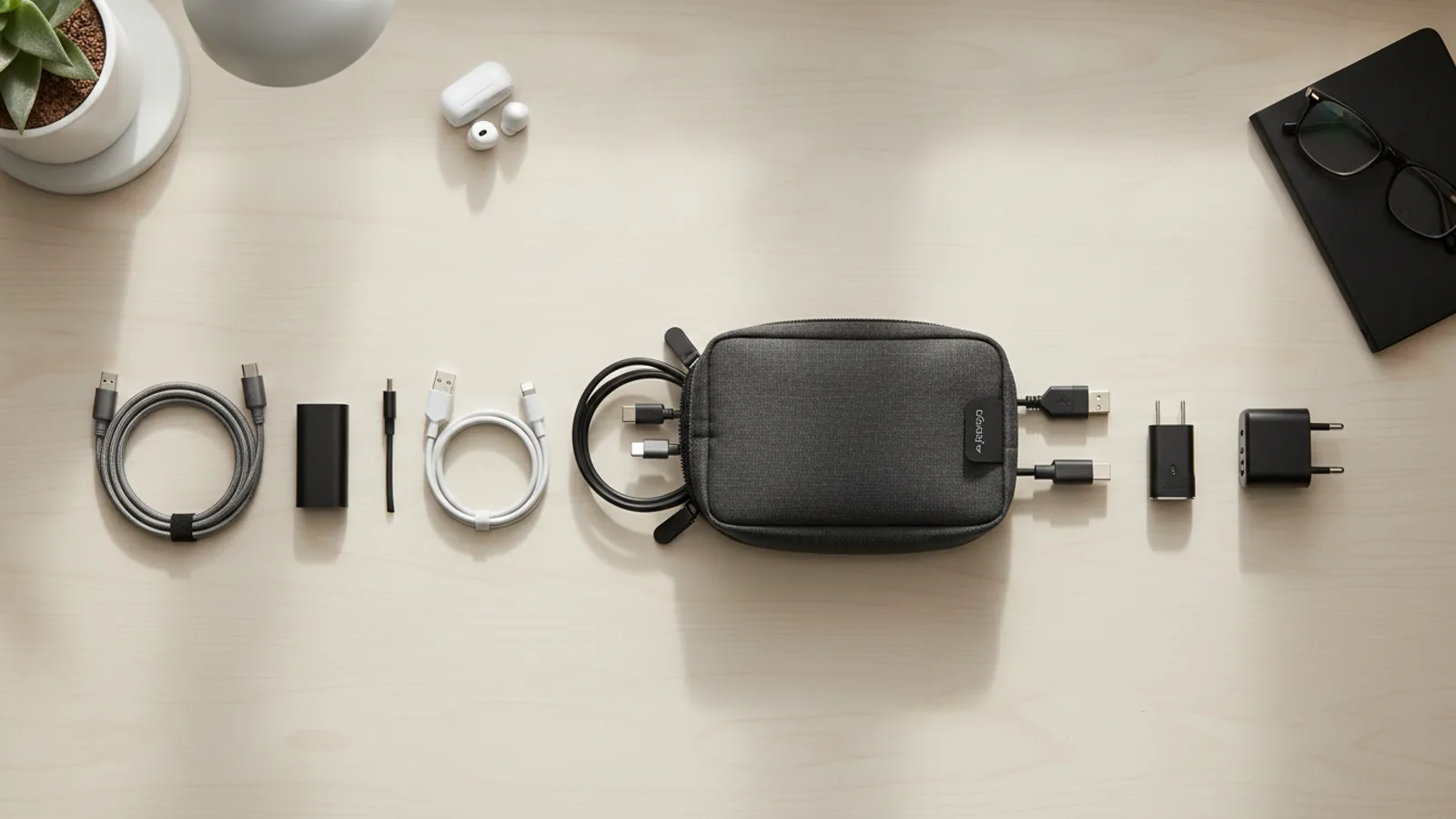
What To Pack In A Reliable Everyday Cable Kit
This guide helps you assemble a dependable everyday cable kit, covering essential cable types, proper organization, and practical tips for handling and storing your cables. You will learn how to choose the right cables for your devices, how to pack them efficiently, and how to avoid common issues like tangles and damage.
Fast Answer
- Start with the cables you use daily: USB-C, Lightning (if applicable), micro-USB, and a multi-port wall charger. Include a power bank and a short extension cord for flexibility.
- Organize your cables with Velcro straps or a small pouch. Label them or use color-coded bands. Keep the kit in a dedicated bag or a zippered compartment in your regular carry.
Before You Start
- Gather all the cables and chargers you use within a typical week. Check each device you own or commonly use, and list which cable or adapter it needs for charging and for data transfer.
- Check the length of each cable. A 1 to 2 meter cable is ideal for most situations. Shorter cables are more portable; longer ones are convenient for reaching distant outlets, but they add bulk.
- Decide on a container: a small zippered pouch, a hard case, or a dedicated compartment in your backpack. Make sure it is large enough to hold your items without forcing them, yet compact enough to carry easily.
- Collect organizing accessories: Velcro ties, cable clips, or small rubber bands. These prevent tangling. Also consider a label maker or colored tape to mark each cable for quick identification.
Step-by-Step Instructions
Inventory Your Devices and Cables
Begin by making a list of every device you use that requires a cable for charging or data transfer. Include your smartphone, tablet, e-reader, portable speaker, headphones, camera, and any other gadgets that need a connection. For each device, note whether it uses USB-C, Lightning, micro-USB, or a proprietary connector. Also note the power requirements, such as the wattage for laptops or fast-charging phones. Once you have your list, gather all your existing cables and chargers in one place. This step is critical because it gives you a clear picture of what you actually need, preventing you from packing items that you never use and ensuring you do not forget a cable for a device you carry. Without this inventory, you risk creating a kit that is either too heavy with redundant cables or missing a vital connector exactly when you need it.
Choose the Core Cable Types
Based on your inventory, select the cables that appear most frequently. For most people, a USB-C cable is essential because it charges many phones, tablets, and even some laptops. If you have older devices, you may need a micro-USB cable. If you use Apple products, include a Lightning cable. For each cable type, purchase or set aside at least one durable, high-quality cable. Check the connectors for a snug fit and ensure the cable feels sturdy. Also decide on length: a one-meter cable is versatile for both desktop and travel use, while a half-meter cable is more compact for a pocket or small pouch. The goal here is to cover your daily needs without carrying a museum of obsolete connectors. By focusing on the most common types, you keep the kit light and functional. Remember to verify the exact port on your devices, because some devices may have different versions or shapes.
Add Power and Charging Accessories
A cable is useless without a power source. Include a wall charger with at least two USB ports, preferably a USB-C port that supports Power Delivery for faster charging. Also add a power bank with sufficient capacity to charge your primary device at least once. For international travel, a travel adapter with surge protection is a wise addition, but check the plug type for your destination. To manage multiple devices, a short extension cord with multiple outlets can be a lifesaver when hotel outlets are scarce. When packing, place the power bank in a separate compartment to avoid accidental button presses. The key is to balance capacity and size: a larger power bank is heavier but more useful on long trips. Always check the power bank's charging speed and the wall charger's output to ensure they meet your devices' requirements, as some fast-charging features may require specific wattage.
Prepare Organization and Labeling
Before packing, organize each cable by wrapping it in a fountain-like coil: hold the cable at one end, wrap it around your hand and elbow, then secure it with a Velcro tie or a cable strap. Do not use rubber bands that are too tight, as they can damage the cable over time. Label each cable with a small piece of colored tape or a cable tag to indicate which device it belongs to. For example, you might use blue for your phone, red for your tablet, and green for your headphones. Place the cables and accessories into your chosen pouch or case, grouping them by type or device. This pre-packing step saves you time later and prevents frustration when you need a specific cable quickly. A well-organized kit also reduces wear and tear because cables are less likely to be crushed or bent. The effort put into labeling and snug storage directly impacts the lifespan and usability of your cables.
Pack the Kit in a Carry-On or Bag
Decide where your cable kit will live. Ideally, it goes in a dedicated pocket or pouch in your daypack, laptop bag, or carry-on luggage. Keep it accessible, because you will need it at airports, coffee shops, and hotel rooms. If you travel frequently, place the kit in an outside compartment of your main bag, but ensure it is secure. For daily use, a smaller pouch in your backpack is suitable. When packing, do not stuff the kit under heavy items, as that can crush connectors or bend cables. Instead, place it on top or in a side pocket. The reason this is important is that easy access simplifies charging on the go, and proper placement prevents damage during transit. Also, consider having a separate minimal daily kit with just the basics (phone cable and wall plug) for short outings, leaving the comprehensive kit for trips.
Test and Periodically Review Your Kit
After assembling the kit, test each cable and accessory to ensure they work correctly. Connect each device, verify that charging begins, and check data transfer if applicable. This step prevents discovering a faulty cable when you need it most. Once a month, or before a trip, review your kit: remove any cables you no longer use, and add any new cables required by new devices. Also inspect the cables for signs of wear, such as exposed wires, bent connectors, or loose joints. If a cable is damaged, replace it immediately. Maintain a mental checklist of what you have and what you might need. This ongoing maintenance ensures your kit remains reliable and does not become cluttered with obsolete gear. A well-maintained kit is a dependable tool that saves time and frustration.
Quick Reference
| Situation | Action | Why it helps |
|---|---|---|
| You are at a coffee shop and your phone has only 5% battery | Plug your phone into your wall charger using the appropriate cable, and place the charger in the outlet nearest you. If the outlet is occupied, ask the barista if you can use another or use your power bank instead. | Using a wall outlet gives the fastest and most reliable charge compared to a power bank, and it preserves the power bank for situations without an outlet. |
| You need to transfer files from your camera to your laptop while traveling | Connect the camera to the laptop using the USB cable that came with the camera, and select 'File Transfer' or 'PTP' mode on the camera's menu. Then copy the files on the laptop. | Direct transfer is quick and avoids removing the SD card, which might be ejected improperly or lost; using the included cable ensures correct compatibility. |
| You are packing for a trip and want to minimize space but still have all necessary cables | Use a multi-cable that combines USB-C, Lightning, and micro-USB connectors. Roll it loosely and place it with your charger in a small pouch. | A multi-cable reduces bulk because you carry one cable instead of three, but ensure it supports fast charging if needed; otherwise, you may sacrifice speed. |
Common Issues
- Cables tangle easily in your bag or pocket: Use Velcro ties or a cable organizer to keep each cable coiled separately. Alternatively, store cables in a hard case that separates them by dividers.
- A cable stops working after a few months, usually at the connector: Avoid bending sharply at the connector and do not pull on the cable to unplug. Use a strain-relief spring or a cable sleeve. Replace the cable if damage is visible.
- You forget which cable belongs to which device, causing confusion: Label each cable with a colored ring or tag, or write on masking tape and attach it near the connector. You can also use different colors of heat-shrink tubing for a more permanent solution.
Advanced Tips
- Invest in braided or reinforced cables; they resist kinking and last longer, but be aware they are thicker and slightly heavier.
- Use a small USB-C to USB-A adapter in the kit; it lets you use older cables or charge from USB-A ports on hotel TVs or airplane seats.
- Consider a magnetic cable system with a magnetic tip that stays in your device port; then you can attach different cable heads quickly, but ensure the tip fits and does not hinder use.
Final Checklist
- Do I have a USB-C cable for my primary phone/tablet, even if I mainly use wireless?
- Is my power bank fully charged and placed in my carry-on, not in checked luggage?
- Are all cables coiled and secured with Velcro ties to prevent tangles?
- Have I tested each cable and charger to ensure they actually charge and sync with my devices?
FAQ
How many cables should I carry in my everyday kit?
The number depends on the devices you use daily. A good starting point is three cables: one USB-C, one Lightning (if you own Apple devices), and one micro-USB (for older gadgets). You can always add a multi-cable to reduce bulk. Review your device list and adjust.
Is it safe to wrap cables around my phone or tablet for storage?
It is not ideal. Wrapping a cable tightly around a device can stress the internal wires and cause short circuits or breaks. Instead, coil the cable loosely and secure it with a soft tie. Keep it separate from devices to avoid pressure on connectors.
How can I tell if a cable is good quality before buying?
Look for durability indicators, such as braided or thick PVC jackets, and strain relief at the connectors. Read reviews from verified buyers. A reputable manufacturer will also provide specifications like supported wattage and data transfer rate. But avoid spending a fortune; a mid-range cable that meets your needs is sufficient.