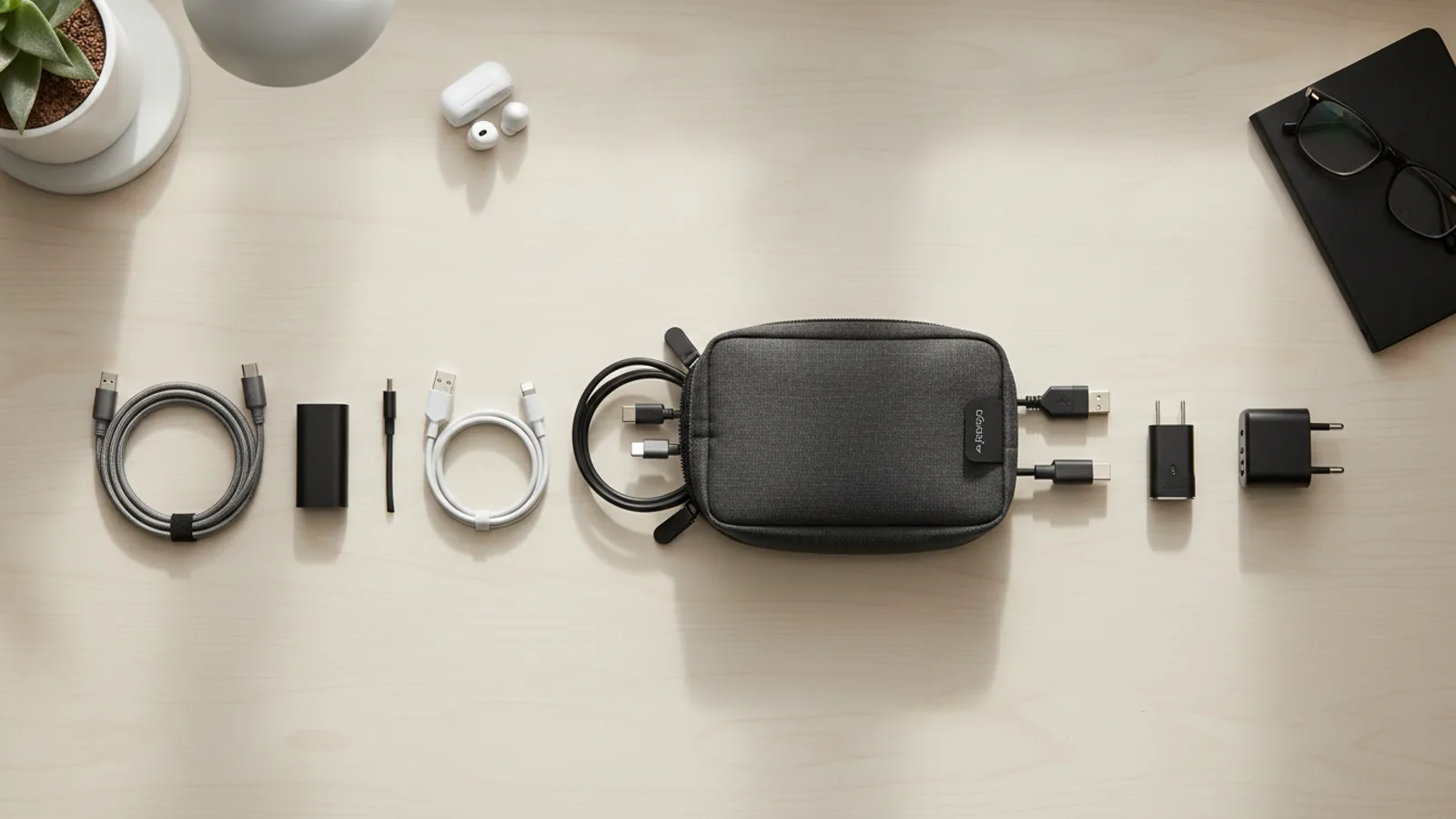
How To Choose A Light Charger For A City Break Without Overpacking
A practical step-by-step guide to how to choose a light charger for a city break without overpacking, including preparation, instructions, common issues, tips, and next steps.

How To Choose A Light Charger For A City Break Without Overpacking
Choosing a light charger for a city break involves balancing power output, cable management, and portability to avoid overpacking. This guide helps you evaluate your devices' needs, choose a compact charger with the right ports and wattage, pack the correct cables, and manage power for a short trip. It includes practical steps, troubleshooting tips, and quick reference solutions, ensuring you stay charged without weighing down your bag.
Fast Answer
- Count your devices and their power needs, then choose a compact multi-port charger that delivers enough total wattage and the right plug types.
- Pack only the cables you need in a small pouch, and bring a lightweight power bank if you’ll be away from outlets for long stretches.
Before You Start
- List every device you plan to bring, such as a phone, tablet, camera, earbuds, or smartwatch, and note whether each uses USB-C, USB-A, or a proprietary plug.
- Check the wattage requirements for each device: look at the original charger or the device’s manual to see the maximum input power (e.g., 18W, 30W, 65W).
- Decide which devices are essential to charge daily—this will help you choose between a single-port and multi-port charger.
- Measure the size and weight of your current charger and cables to have a baseline for comparing compact alternatives.
Step-by-Step Instructions
Count Your Devices and Their Power Needs
First, gather every electronic item that will travel with you, such as your smartphone, tablet, wireless earbuds, camera, or portable gaming device. For each, find its charging specification—usually printed on the original charger or in the manual—looking for the wattage (W) or voltage (V) and current (A) input. Multiply volts and amps to get watts if needed. Write down the maximum power each device can accept, because a charger that delivers too little power will charge slowly, while too much power is generally safe due to internal regulators, but it is wise to match the recommended level. Also note which charging cable each uses: USB-C is common for modern phones and laptops, while older devices might use USB-A or a proprietary plug. By knowing your device count and their wattage demands, you can determine the minimum total power your charger must provide. For example, a phone needing 18W, earbuds needing 5W, and a camera needing 10W would require at least 33W total if charged simultaneously. This careful inventory prevents you from bringing a bulky charger that is overkill and helps you pick a compact model that meets your needs without excessive weight.
Choose a Charger with the Right Ports and Output
Based on your list, select a charger that has the correct number of ports and enough total output to charge your essential devices, ideally all at once. For a city break, a dual-port charger is often sufficient if you have a phone and earbuds, but if you have a tablet and camera, you might need three ports. Ensure the charger supports the same connector types as your cables—USB-C Power Delivery (PD) is common for fast charging, while USB-A is older. Check the total wattage shared across ports: some chargers split power, so for example, a 65W charger might give 45W from one port and 20W from another. If you need consistently high power for a tablet, confirm that one port can deliver the full wattage you need. Also consider the physical size: a cube-shaped charger with folding prongs is more compact than a long bar. Ports should be placed on one face to reduce width. Avoid chargers with built-in cables, as they are less flexible and add bulk. Verify that the charger uses the same standard plug as your destination, or that it has a universal input. A good compact charger weighs under 150 grams and fits easily in a shirt pocket.
Pack the Lightest Cables That Match Your Devices
Cables often take up more space than the charger itself, so choose the shortest cables that are practical—usually 0.5 meters to 1 meter. A 2-meter cable is heavy and tangles easily, so avoid it unless you are charging from a distant outlet. For a city break, a 1-meter cable for your main device and a 0.5-meter for your secondary device might suffice. Use a cable tie or a small pouch to keep them organized. If you have multiple devices with USB-C, pack only one cable and use it for all, but if you have both USB-C and USB-A devices, you might need two different cables. Consider a multi-cable with interchangeable tips, but these are often bulkier and may not support fast charging. Also, check that your cables are of good quality—they should have thick insulation and proper connectors. Do not bring a laptop cable unless you absolutely need it, as those are heavy. Instead, rely on your charger for lighter devices. Before packing, test each cable to ensure it charges the respective device, to avoid surprises on your trip.
Pack a Small Power Bank for On-the-Go Charging
Even with a light charger, you will encounter days when you are out from morning to evening without access to outlets, especially while sightseeing. A compact power bank with a capacity of around 10,000mAh can recharge a typical smartphone once or twice and weighs roughly 200 grams. Do not opt for a 20,000mAh model unless you have a power-hungry device, as it will add unnecessary weight and bulk. Ensure the power bank has at least one output port that matches your main cable—preferably USB-C with Power Delivery for fast recharging. Verify that it can be recharged via the same port you use for your phone, so you only need one cable. Check the power bank's input wattage to see how quickly it can top up when you are near a wall outlet. A smaller 5,000mAh is even lighter but may not be enough for a long day. Consider your daily usage: if you use your phone heavily for maps and photos, a larger 10,000mAh is safer. Also, remember that airport security rules allow power banks in carry-on, but you should check your airline's policy. Pack the power bank with your charger in the same pouch for easy access.
Use a Compact Travel Organizer for Charging Gear
To prevent small items like chargers and cables from getting lost or tangled in your bag, use a dedicated pouch or organizer. A simple fabric case with a zipper and internal elastic loops can keep your charger, power bank, and cables together. Choose a pouch that is lightweight—under 50 grams—and flat, so it can slide into a side pocket or between clothes. In the organizer, place the charger on one side, the power bank on the other, and zip the cables in the middle. This prevents the cables from wrapping around other items. Additionally, you can include a small USB adapter if you have a device with a proprietary connector, but be mindful of extra weight. Another tip is to label your cables with a tiny sticker or colored tape to identify which device they belong to, which saves time at the airport security bin. When packing, place the organizer on top of your clothes or in an outside pocket so you can access it easily without unpacking everything. During security checks, having your electronics together in a clear pouch speeds up the process.
Check Your Destination’s Power and Adapter Needs
Before you finalize your packing, research the type of electrical sockets and the standard voltage at your destination. Many countries use the same plug type (like the US two-prong or the European round), but if you are traveling to a different region, you might need a plug adapter. A small plug adapter that supports multiple socket types is lighter than a bulky universal adapter, but verify it does not convert voltage—transformers are heavy. If your charger is dual voltage (usually indicated on the label as '100-240V'), you do not need a voltage converter; however, if your device is not dual voltage, you may need a converter, but that is rare for modern electronics. Call your accommodation or consult a reliable travel website to confirm the socket type. Some chargers come with interchangeable plugs that can be swapped without an adapter, but those tend to be slightly heavier. Also, consider the number of outlets in your hotel room: sometimes you might need a small power strip if many devices require charging simultaneously, but that adds weight, so try to limit to charging one device at a time off the charger's ports.
Quick Reference
| Situation | Action | Why it helps |
|---|---|---|
| You are packing for a weekend trip and have a phone, earbuds, and a smartwatch. | Carry a dual-port USB-C charger with at least 30W total output, one USB-C cable, and a tiny pouch for the watch's magnetic cable. | A dual-port charger lets you charge the phone and earbuds simultaneously, while the smartwatch uses a different port. This setup minimizes weight and covers all devices. |
| You discover a device uses a USB-A cable while your charger only has USB-C ports. | Swap the USB-A cable for a USB-C to USB-A adapter that fits on the cable's end, or select a charger that includes both USB-C and USB-A ports. | Adapters are small and light, but using a charger with both port types is more efficient and avoids needing extra adapters that could be lost. |
| You are unsure if your charger will work in a foreign country's outlets. | Search online for the destination's plug type and voltage, then buy a lightweight universal plug adapter that only changes the prongs, not voltage. | A simple plug adapter is cheap and small, and because modern chargers are dual voltage, you only need to modify the physical plug, not convert electricity. |
Common Issues
- You pack a charger with a single port but forget that your tablet and phone need simultaneous charging, leading to delays.: Opt for a charger with at least two ports, even if you think you might not use both. Use the multi-port charger to charge the tablet and phone at once, and leave the single-port charger at home.
- Your charger and cables take up too much space and cause your bag to be overweight for airline carry-on restrictions.: Choose a smaller charger with folding prongs, use shorter cables, and replace a bulky power bank with a lighter model. Roll cables tightly and store everything in a single flat pouch.
- You buy a charger claiming high wattage, but it charges devices slowly because the output is split across ports.: Read the fine print on the charger to see the output per port. For fast charging, ensure one port can provide the device's recommended wattage. Then plug your primary device into that port and another device into a lower-output port.
Advanced Tips
- Consider a GaN (gallium nitride) charger, which is smaller and generates less heat than traditional silicon chargers, allowing for higher wattage in a compact size.
- Use a charger with a foldable plug to eliminate the risk of scratching other items and to save space when packed flat.
- If you carry multiple devices, invest in a charger with a built-in display that shows power distribution per port, but only if you need the reassurance, as it may add weight.
Final Checklist
- List all devices and their wattage requirements, and choose a charger with adequate total output and port types.
- Pack the lightest and shortest cables that match your devices, and use a cable organizer.
- Bring a power bank only if you expect long days away from outlets, and choose a capacity that fits your usage.
- Verify your destination's plug type and voltage, and carry a minimal plug adapter if needed.
FAQ
Can I use a charger with higher wattage than my device needs?
Yes, it is generally safe to use a charger with a higher wattage output because your device's charging circuitry regulates the amount of power it draws. For example, a 65W charger will charge a phone that normally uses 18W at the phone's supported speed, not faster. However, ensure that the voltage and charging protocol are compatible. Excessive wattage does not damage the device, but it may make the charger larger and heavier, which is counterproductive for a city break.
How do I know if my device supports fast charging?
Check your device's specifications in its manual or on the manufacturer's website. Look for terms like 'Quick Charge', 'Power Delivery', or 'VOOC', and note the wattage listed. For example, a phone that says '18W fast charging' means it can accept up to 18W. If your device only supports standard 5V/2A (10W), a higher-wattage charger will not speed up charging. You do not need a fast-charging charger unless your device specifically supports it, but a compatible charger will ensure the fastest possible top-up.
What should I do if I forget my charger while traveling?
If you forget your charger, look for a local electronics store or a hotel front desk, many of which lend chargers or have a charging station. Alternatively, you might buy a basic USB-A to USB-C cable and use a public USB port (but be cautious of security risks). To avoid this, double-check your packing list before you leave, and consider attaching your charger to your carry-on bag's outside pocket so you see it when you pack.